Validate
Detect and validate ODPS products, ODPC catalogs, ODPG graphs, ODPV vocabulary, and Data Contract references before they move into production workflows.
A practical Python SDK and MCP server for loading, validating, explaining, generating, searching, traversing, importing, exporting, and publishing Open Data Product standards, external OKF context bundles, Data Contracts, ODPR workflow recipes, LLM workflows, and portfolio workspaces.
Open source and useful? Give the SDK a GitHub star to help others find it.
The SDK turns data product standards into executable context. Teams get validation, developers get Python functions, and AI agents get structured outputs, summaries, workflow recipes, bundled resources, graph reasoning, Data Contract reports, and safe tools for real workflows.
Detect and validate ODPS products, ODPC catalogs, ODPG graphs, ODPV vocabulary, and Data Contract references before they move into production workflows.
Turn YAML and JSON into readable explanations, structured validation results, references, small summaries, and compact context hints that avoid flooding an agent context window.
Use local runtimes or hosted providers to create standards-aware ODPS, ODPC, and ODPG artifacts from business source material.
Use ODPR recipes to describe repeatable SDK workflows, including the steps, providers, inputs, outputs, validation checks, and review policy for each run.
Expose bundled schemas, prompt templates, vocabulary records, catalog object records, and graph object records through Python, CLI, and MCP surfaces.
Summarize, traverse, analyze, and extract trusted focus-node context from ODPG relationships, ODPC objects, and ODPV terms.
The same toolkit works from the terminal, Python automation, CI jobs, and agent hosts. These examples are intentionally small: each one shows a practical job before the deeper guides and provider setup.
Check whether an ODPS product, ODPC catalog, ODPG graph, vocabulary file, or contract reference is safe to use.
open-data-products validate examples/product.yaml
Turn a technical data product file into a readable explanation for reviewers, agents, or CI reports.
open-data-products explain examples/product.yaml --json
List bundled schemas, prompts, vocabulary records, catalog guidance, and graph resources available to tools and agents.
open-data-products resources --json
Expose safe SDK operations to compatible agent hosts through the Model Context Protocol.
open-data-products serve
Create reviewable ODPS, ODPC, or ODPG-oriented output from source notes with a selected generation profile.
open-data-products generate \
  --input source_docs/products/ \
  --kind product-reference \
  --provider ollama-gemma3n \
  --output generated/
Turn objectives, use cases, signals, and product notes into connected portfolio outputs for human and agent review.
open-data-products portfolio build \
  --objectives sources/objectives/ \
  --use-cases sources/use-cases/ \
  --signals sources/signals/ \
  --products sources/products/ \
  --output generated/portfolio/
The SDK includes Model Context Protocol support so agent hosts can operate on Open Data Products files and OKF context bundles through safe tools, structured resources, standards-aware context, graph relationships, and LLM-assisted generation.
open-data-products manifest --json for hosts that understand ARWS-style tool discovery.
llama-cpp-python, and LocalAI, or hosted providers such as Claude, OpenAI, OpenRouter, and Groq.
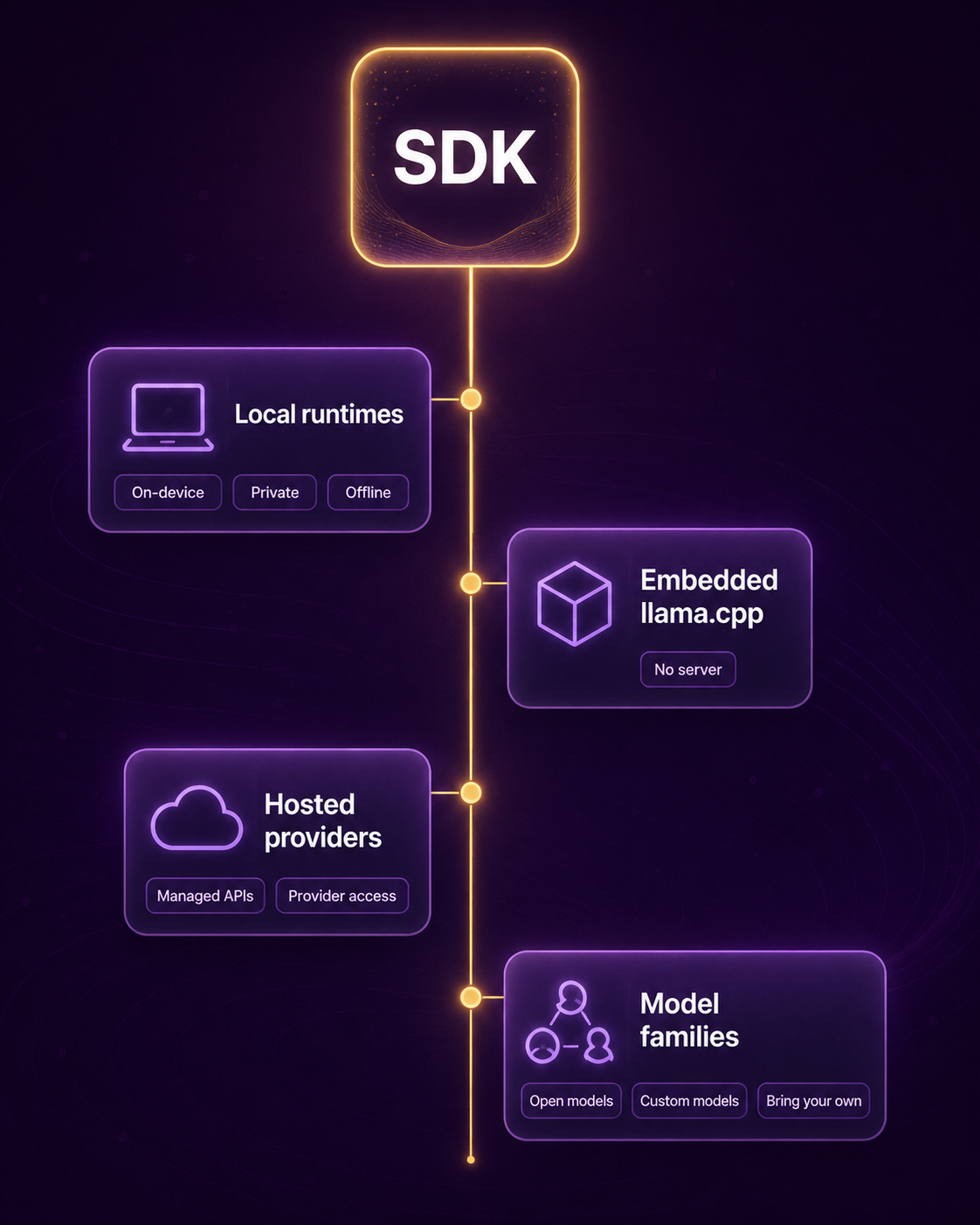
The SDK keeps generation workflows provider-aware while staying grounded in the Open Data Products standards family. Choose a local runtime for private or offline work, run a GGUF model directly with the optional embedded llama.cpp extra, or connect a hosted provider when managed model access fits better. Generation configuration can be extended with additional local models, hosted providers, and OpenAI-compatible endpoints.
Use Ollama, LM Studio, vLLM, llama.cpp server, LocalAI, or another OpenAI-compatible local chat server for local generation workflows.
Install open-data-products[llama-cpp] and select llamacpp-embedded when a workflow should call llama-cpp-python directly instead of a separate local API server.
Work with model families such as Llama, DeepSeek, Qwen, Mistral, Mixtral, Phi, Gemma, Code Llama, StarCoder, Yi, Command R, Falcon, Granite, Nemotron, Vicuna, and WizardLM when exposed by your runtime.
Connect service providers such as Claude, OpenAI, OpenRouter, and Groq through generation configuration, then validate generated ODPS, ODPC, ODPG, ODPV, and data contract artifacts before use.
These provider profile names are suggested by the default SDK generation configuration and can be selected with --provider <name> in CLI commands. Add your own profiles when another model or provider fits the job better. The LLM selection guide expands the decision path for validation, generation, graph, portfolio, localization, CI, and release-review jobs.
| SDK job | Suggested local profile | Suggested stronger or production profile |
|---|---|---|
| Validate, build, render, or create TOON/GCF sidecars | No LLM | No LLM; keep these deterministic in CLI and CI. |
| Fast draft generation | ollama-gemma3n, ollama-llama, ollama-mistral, or ollama-phi |
claude or openai when the draft becomes release-facing. |
| Structured ODPS, ODPC, or ODPG YAML generation | ollama-qwen3, ollama-qwen3-14b, or llamacpp-embedded with a local GGUF model |
lmstudio-gemma4-12b, claude, or openai. |
| Graph inference and portfolio review | lmstudio-gemma4-12b or ollama-qwen3-14b |
claude or openai when consistency matters more than local-only execution. |
| Localization or release review | lmstudio-gemma4-12b |
claude or openai for production polish and review confidence. |
| ODPR workflow recipe runs | Recipe-selected provider profile | Let the workflow contract decide which steps are deterministic, local, hosted, or hybrid. |
Use the suggested provider profile names from the default configuration when drafting artifacts, refreshing portfolios, or reviewing localized outputs.
open-data-products generate \
  --input source_docs/products/ \
  --kind product-reference \
  --provider ollama-gemma3n \
  --output generated/
open-data-products portfolio refresh \
  generated/portfolio/ \
  --provider claude
open-data-products portfolio localize \
  generated/portfolio/ \
  --languages "fi,sv" \
  --provider lmstudio-gemma4-12b
OKF support lets teams exchange external Markdown/frontmatter knowledge bundles, while TOON and GCF give agents smaller sidecar files for repeated catalog rows and graph relationships. ODPR recipes can make those context choices part of a workflow contract, so each repeatable agent run knows which bundles, sidecars, validation checks, providers, and review steps to use while ODPS, ODPC, ODPG, and ODPV remain the canonical structured artifacts.
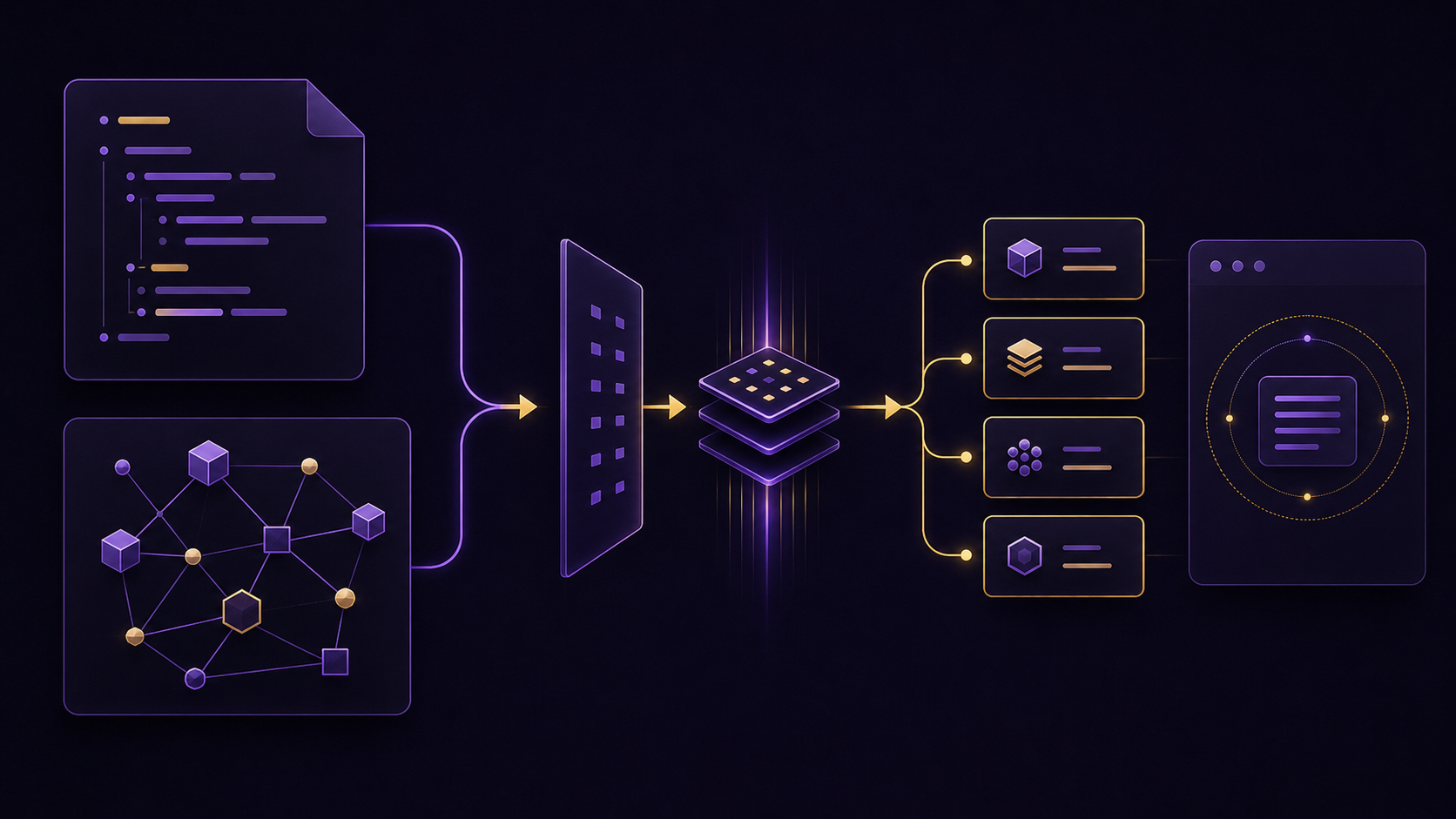
Validate Open Knowledge Format bundles, summarize concepts without full Markdown bodies, import concepts as generation-ready source docs, and export ODPC catalog or portfolio artifacts as portable OKF context.
Generate TOON views for ODPC catalogs and ODPG graphs when repeated structures need to fit more cleanly into model context windows.
Emit GCF files for ODPC and ODPG workflows, including graph nodes and edges that are packed for agent prompts and review automation.
Use workflow contracts to decide when agents should use OKF bundles, TOON, GCF, canonical YAML, provider profiles, and validation gates for each repeatable run.
Use OKF, --toon, and --gcf as context exchange or build outputs; keep standards YAML as the reviewed, validated, and exchanged source of truth.
Use the same standards-aware capabilities from Python, from the terminal, or through an agent host.
Call top-level helpers such as load, validate, explain, summarize, resolve references, and list resources.
Run human-readable commands by default and add --json for scripts, agents, and CI jobs.
Launch open-data-products serve so compatible agent hosts can call safe SDK tools over stdio.
Render open-data-products manifest --json for agent systems that need a compact tool manifest.
Move from install and validation into LLM generation, graph reasoning, catalogs, and portfolio workspaces.
The GitHub repository includes course-style guides. The website highlights the most useful entry routes instead of listing every lesson at once.
Begin with Python setup, install the package, and validate your first standards file.
Configure generation, keep prompts project-owned, and create reviewable fragments from business notes.
Search shared terms, build graph context, and assemble ODPC catalogs that humans and agents can review.
Move from separate commands into a connected portfolio with HTML review pages and agent-ready YAML.
 Now on Udemy
The Data Product SDK Masterclass is now available on Udemy. It turns the current SDK updates into a guided, practical learning path for building scalable, agent-ready data product value management workflows. Use the course page to enroll, or reach out on LinkedIn for voucher access.
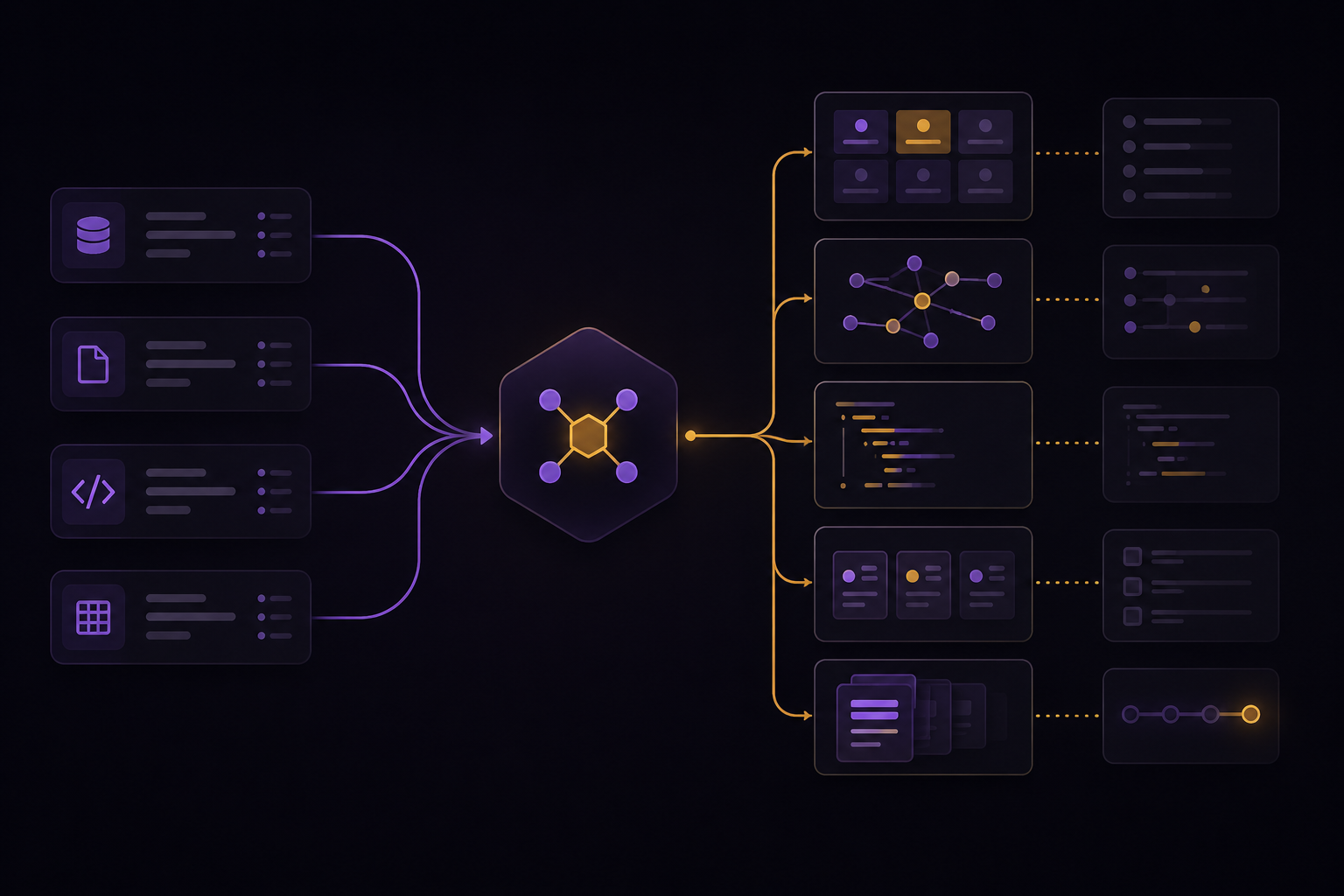
The portfolio workflow packages generation, ODPC catalogs, ODPS products, ODPG graphs, review pages, localization, and version history into one practical path for business-facing work.
# Build and review the workspace
open-data-products portfolio build --output generated/portfolio/
open-data-products portfolio localize generated/portfolio/
open-data-products portfolio explain generated/portfolio/
The SDK gives developers and AI agents one practical interface across product descriptions, ODPC catalogs, ODPG graphs, ODPV vocabulary, ODPR workflow recipes, and data contract workflows. OKF is supported as an external context bundle format, not as a fifth Open Data Products standard.
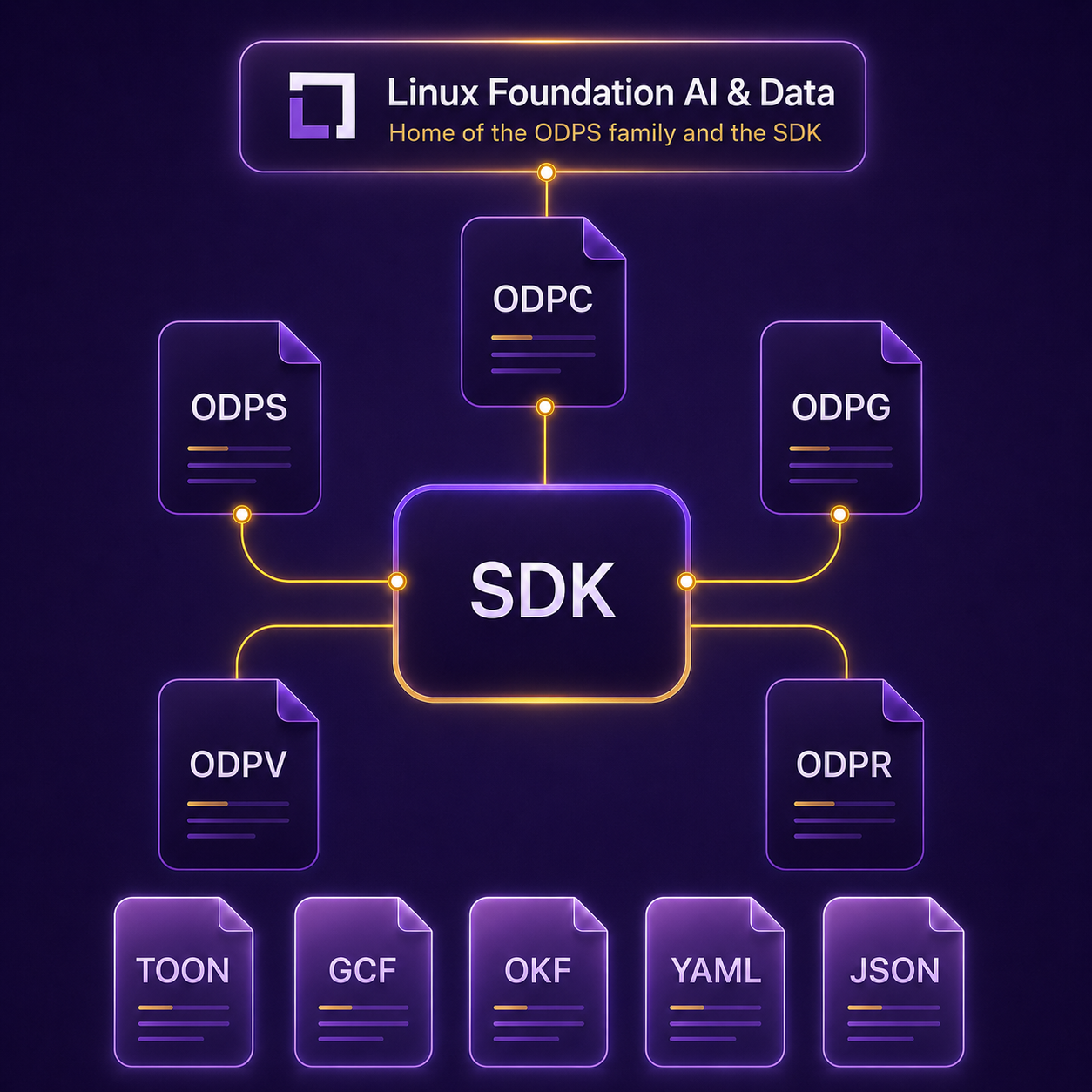
Defines the data product, its access, quality, SLA, pricing, support, license, and strategy.
Organizes products, objectives, use cases, KPIs, and demand signals at portfolio level.
Connects products to business value through nodes, edges, and relationship paths.
Creates shared meaning for humans, platforms, and AI agents working with the standards.
Defines workflow contracts for repeatable SDK runs, provider choices, validation gates, and review steps.
Supports contract-aware workflows for structure, expectations, quality, access, and product handover.
Install the SDK, check the CLI, then run a human-readable validation command. Add --json when an agent, script, or CI job needs stable machine-readable output.
# Create a portfolio project folder
mkdir data-products-portfolio
cd data-products-portfolio

# Create and activate a virtual environment
python3 -m venv .venv-sdk
source .venv-sdk/bin/activate

# Install the SDK
pip install open-data-products

# Check the command and validate a file
open-data-products --help
open-data-products validate examples/product.yaml
open-data-products explain examples/product.yaml
open-data-products summary examples/product.yaml
Use the landing page and guides for orientation, then jump into the focused references when you need exact command behavior, API details, or agent-host setup.
Use the Python API and CLI references when integrating the SDK into automation, products, or validation pipelines.
Configure generation providers, extend provider profiles, use ODPR recipes as workflow contracts, validate contracts, and produce product-level reports.
Connect the SDK to agent hosts, inspect safe tools, give agents a compact routing file, and use OKF bundles or compact context sidecars when available.
It is the Python SDK, CLI, and MCP server for working with the Open Data Products standards family. It helps teams and AI agents validate, explain, generate, search, traverse, and publish ODPS, ODPC, ODPG, ODPV, Data Contract, and portfolio artifacts.
Many industries treat contracts as the operational boundary between data producers and consumers. The SDK supports contract-aware workflows so product descriptions, schemas, expectations, quality rules, access details, and governance context can be reviewed together.
Workflow contracts are ODPR recipes that describe how a repeatable SDK run should work. They are similar to reusable skills or playbooks for AI agents, but with explicit steps, inputs, outputs, provider profiles, validation gates, context formats, and review policy so humans, CI jobs, and agents can run the same workflow consistently.
No. Developers can use the Python API and CLI directly, while AI agents can use the same capabilities through MCP, ARWS manifest metadata, and agent-facing context files. The goal is one standards-aware toolkit across human and agent workflows.
They are optional compact context sidecars for ODPC catalogs and ODPG graphs. TOON and experimental GCF help pack repeated rows and graph relationships for prompts, summaries, and review automation while YAML remains the canonical standards file.
Open Knowledge Format, or OKF, is an external Markdown/frontmatter context bundle format for portable human and agent review. The SDK can validate OKF bundles, list concepts safely for agents, import concepts as generation source documents, and export ODPC catalog or portfolio artifacts as OKF context. OKF is not a fifth Open Data Products standard; ODPS, ODPC, ODPG, and ODPV remain the canonical structured standards.
Yes. Generation workflows can use local runtimes such as Ollama, LM Studio, vLLM, llama.cpp server, embedded llama.cpp through llama-cpp-python, and LocalAI, or hosted providers such as Claude, OpenAI, OpenRouter, and Groq. Generated artifacts should still be validated before use.
It turns source lanes such as objectives, use cases, signals, and product notes into connected portfolio outputs: ODPC catalog YAML, ODPS product files, ODPG graph context, reviewable HTML pages, localized pages, and version history.
Yes. The Data Product SDK Masterclass on Udemy includes 3.5 hours of on-demand video, 19 downloadable resources, 2 executable Colab workbooks, a full GitHub repository with all materials, and practical SDK workflows for validation, generation, catalogs, and graphs.
Use the SDK as the context and execution layer for AI agents working with data product standards, OKF context bundles, ODPC catalogs, ODPR workflow contracts, data contracts, validation, graph traversal, vocabulary helpers, compact sidecars, and agent-ready workflows.